Designing Consistent 2D Game Sprite Sheets with AI
A practical workflow for generating uniform walk, idle, and cast sprite sheets in 2x2, 3x3, or 4x2 grids ready for Godot, Unity, and Phaser.
Nov 13, 2026 MakerGIF Team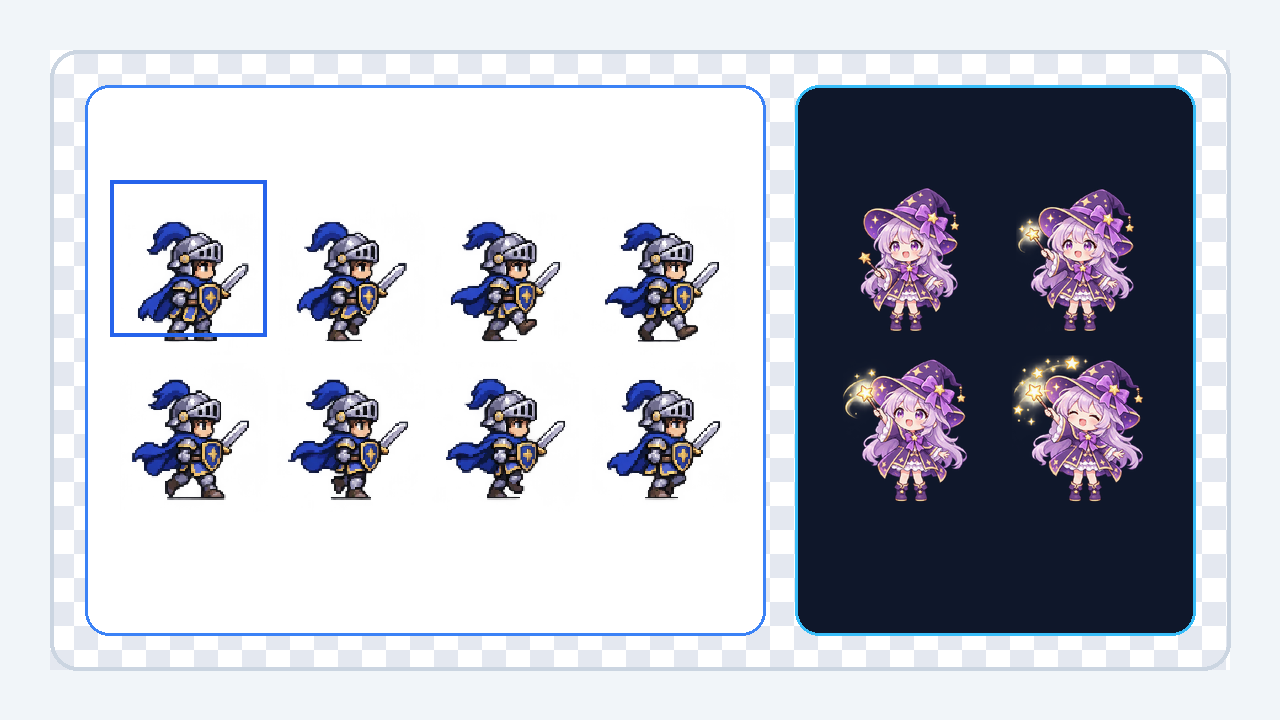
Indie game prototypes stall quickly when frame 3 suddenly changes hair color, sword size, or camera zoom. Generating all animation poses inside a single shared sprite-sheet grid keeps proportions, lighting, and line weight locked together.
Choose the Right Grid Layout
- 2x2 (4 frames): Best for bouncy emotes, bobbing idle animations, and snappy reaction stickers.
- 3x3 (9 frames): Ideal for cast spells, attack swings, and multi-stage explosions.
- 4x2 (8 frames): Great for classic side-view run cycles and platformer walks.
Lock Character Identity with a Reference Image
Upload your existing character turnaround or mascot PNG in Sprite Sheet mode before typing the action prompt. MakerGIF preserves outfit colors and proportions across every sliced cell and lets you toggle off broken frames before downloading the transparent sheet PNG.
Ready to build your next character cycle? Launch the AI Sprite Sheet Generator.